← KnockCV
CV templates

ATS-friendly CV templates: 3 of our 9 are built to read as plain text.

KnockCV has nine CV templates. Three are single column and plain, so a parser can read their text in order. The other six are designed layouts for a person who reads the CV first. Every one takes your own accent color.

Tailor my CV →

Your first 3 CVs are free, templates cost nothing extra, and there is no subscription.

ATS-friendly CV templates

One column, one font, no photo and no side rail. Use these when your CV goes into an online application form.
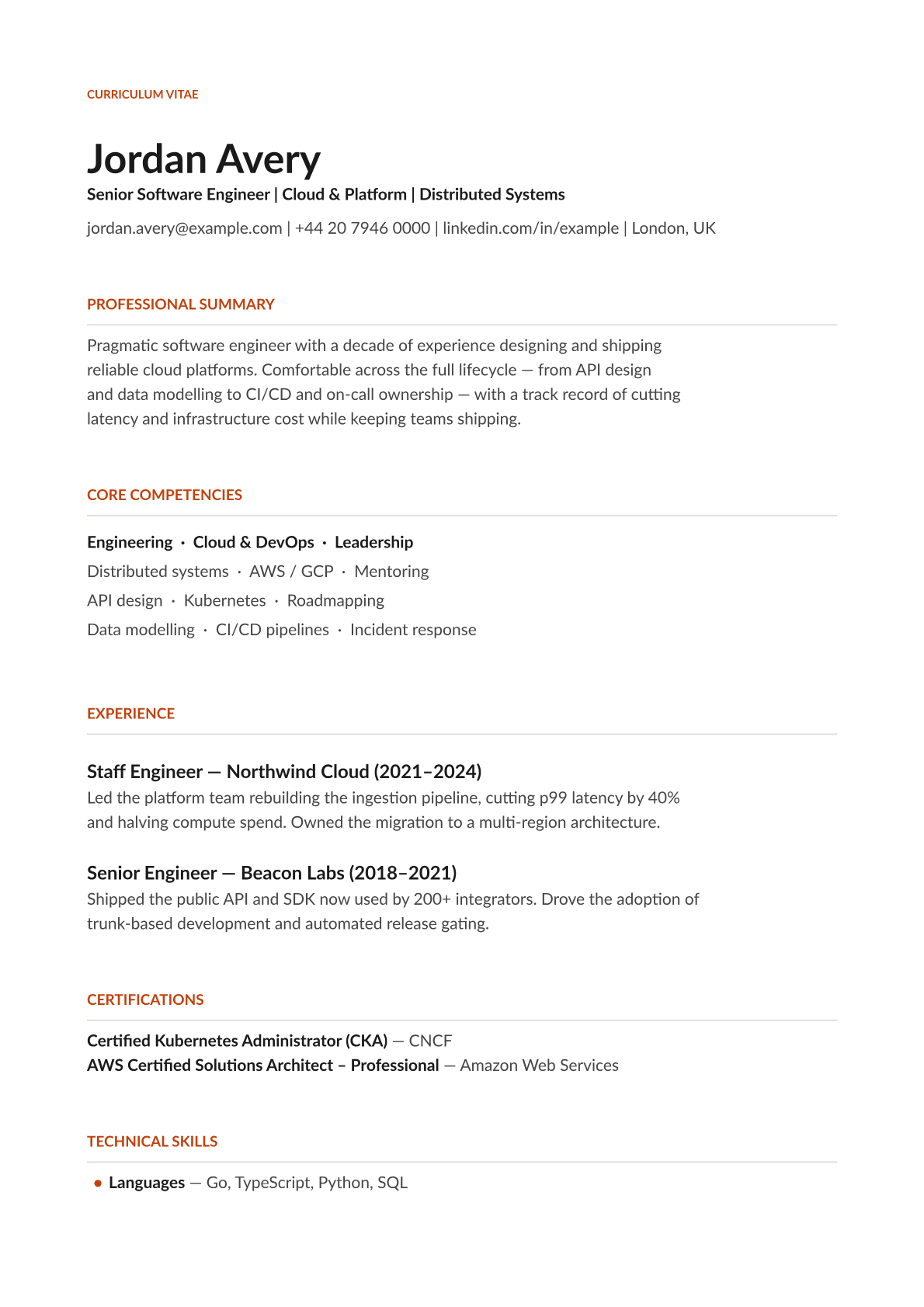
ATS Clean CV template preview

ATS CleanATS ✓

Neutral single-column sans. The plainest layout for parsing.

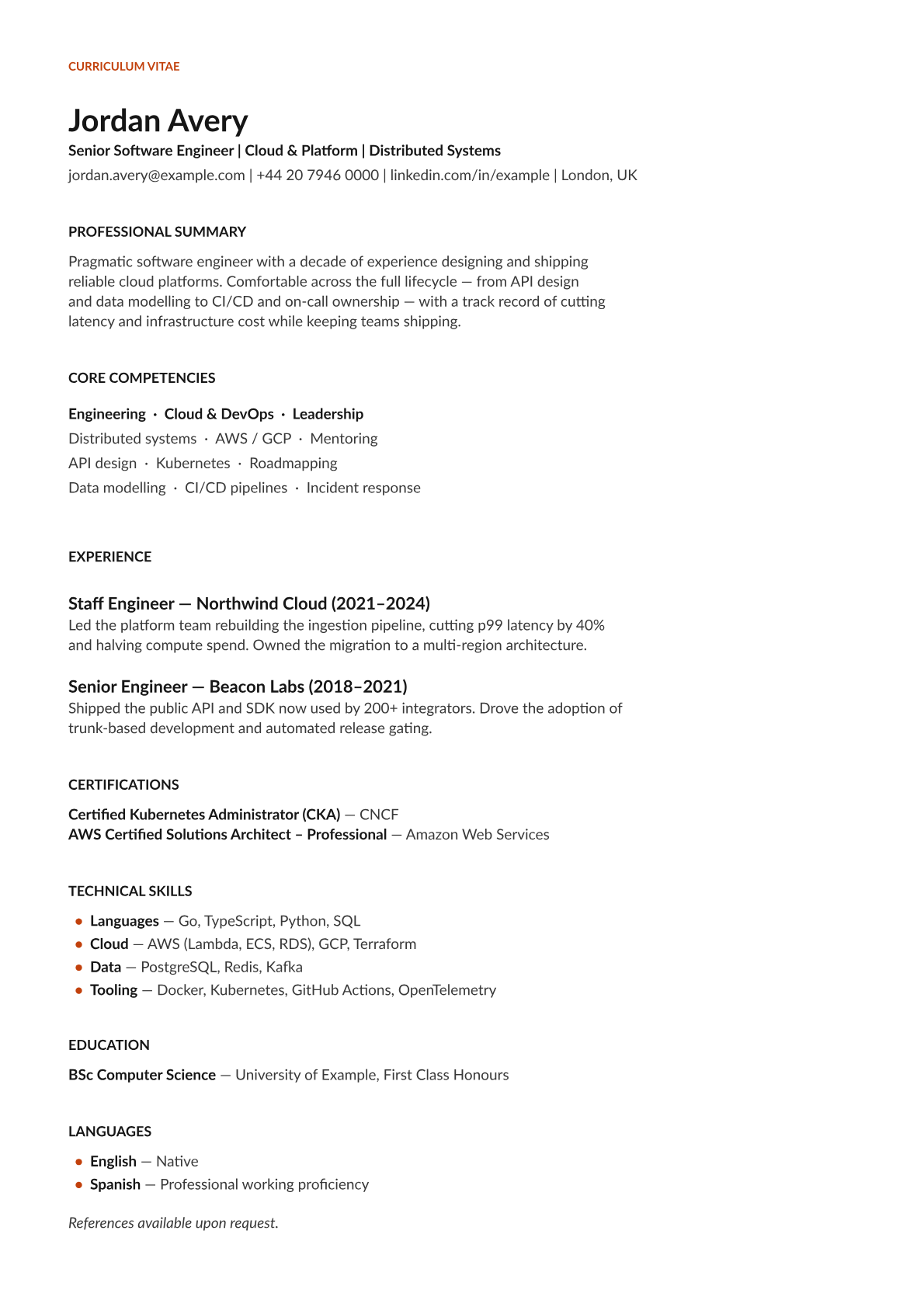
Modern CV template preview

ModernATS ✓

Clean sans with an accent rule on each section. Single column, plain text.

Compact CV template preview

CompactATS ✓

Denser spacing to fit more on one page. Single column, plain text.

Designed CV templates

Side rails, a header band, a timeline and photo slots. They look better to a person. We do not run our text check on them, and a parser may read their columns in the wrong order.
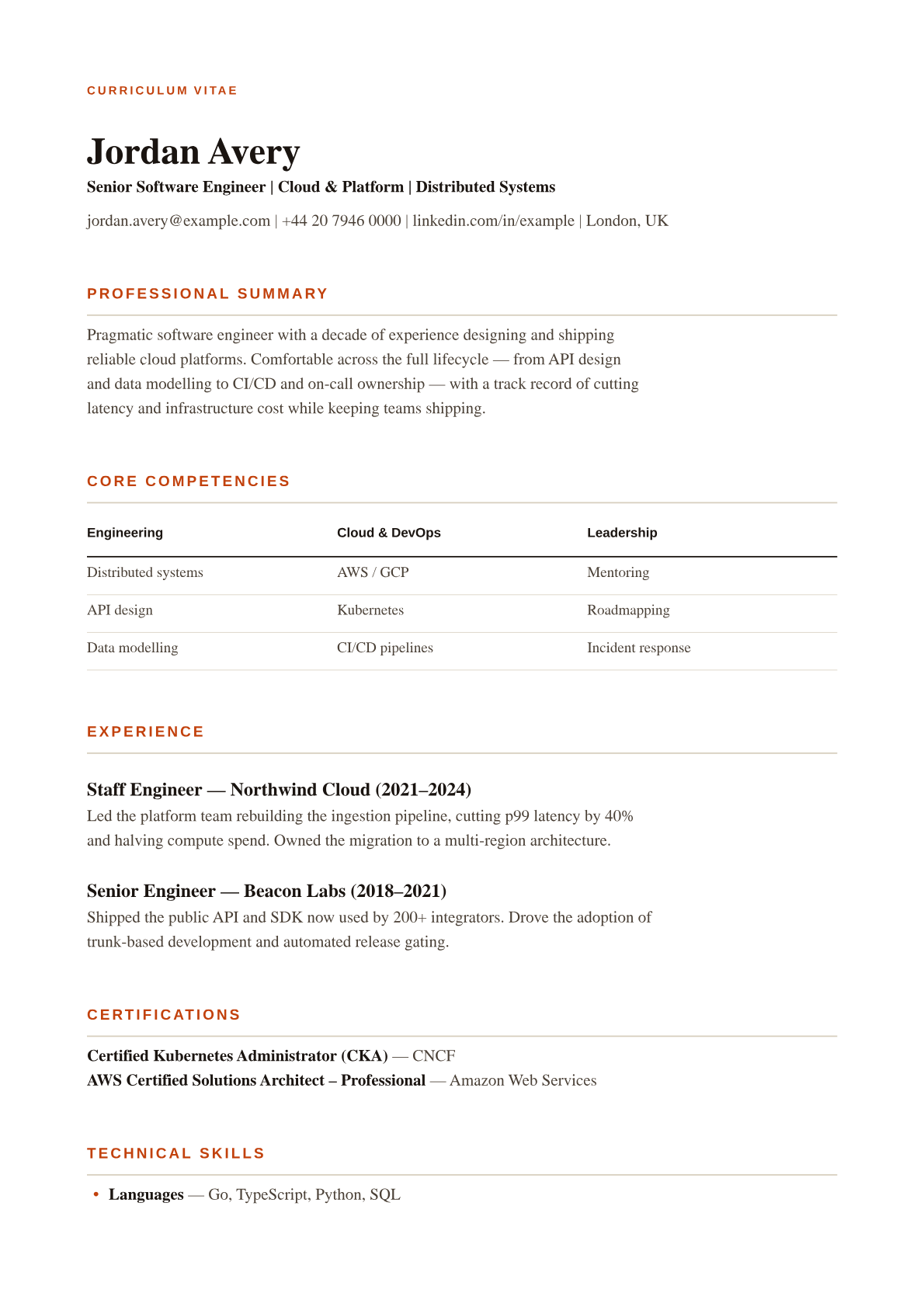
Classic CV template preview

Classic

Editorial serif with multi-column skill grids. A designed look for human readers.

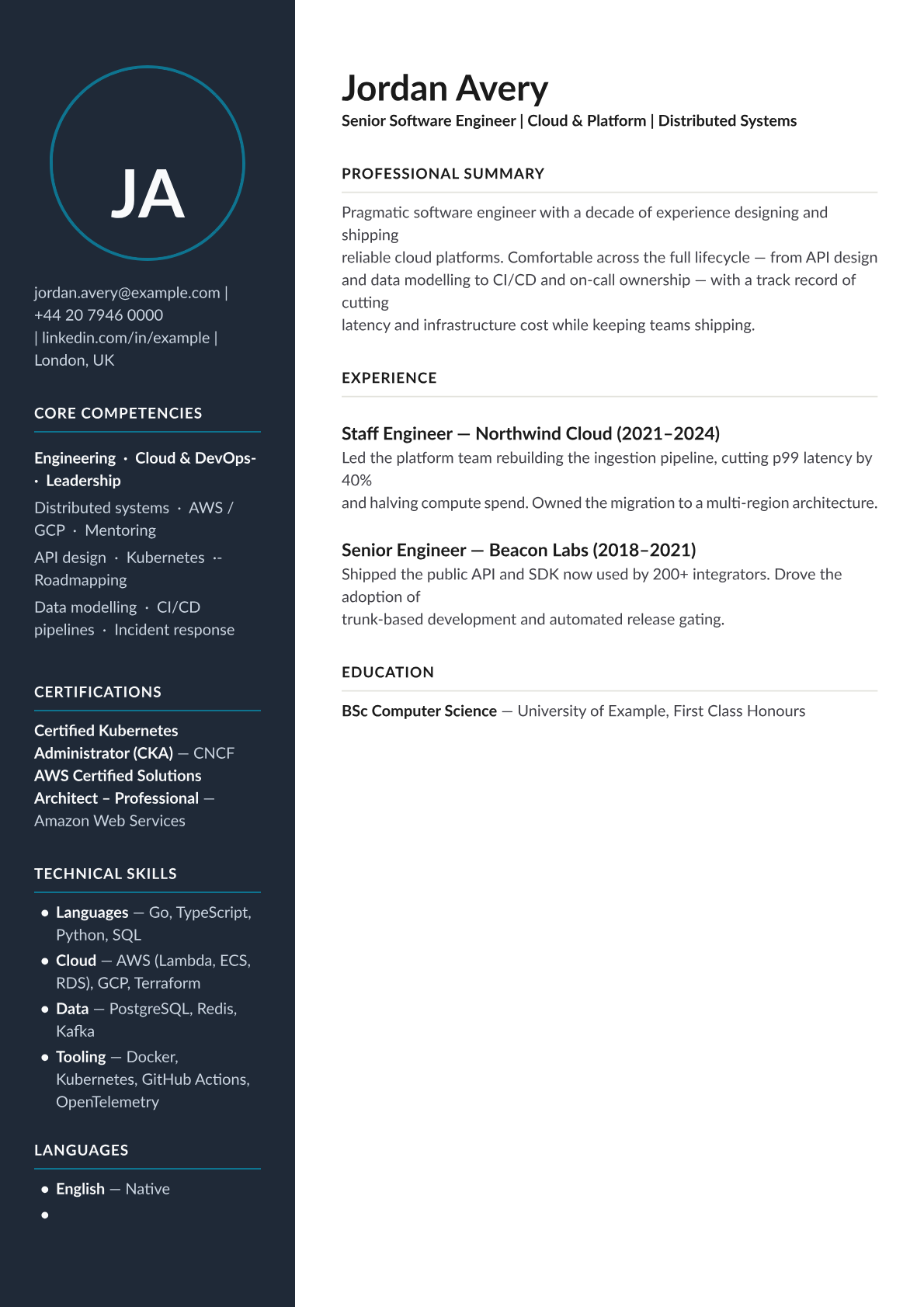
Aurora CV template preview

Aurora

Two-column design with a dark side rail for skills, languages & contact. Eye-catching, made for human readers.

Quartz CV template preview

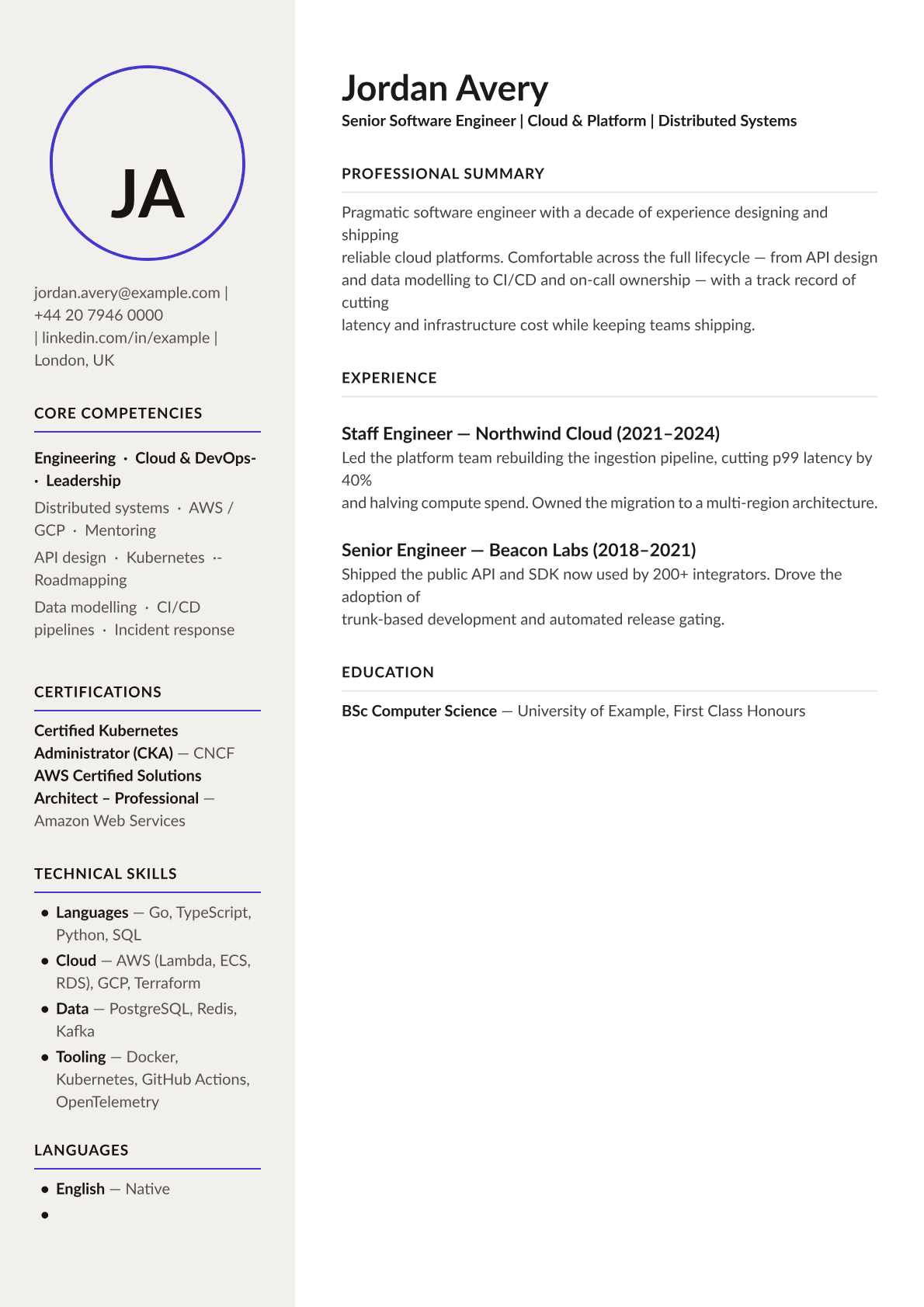
Quartz

Two-column design with a light side rail. Clean and modern, made for human readers.

Meridian CV template preview

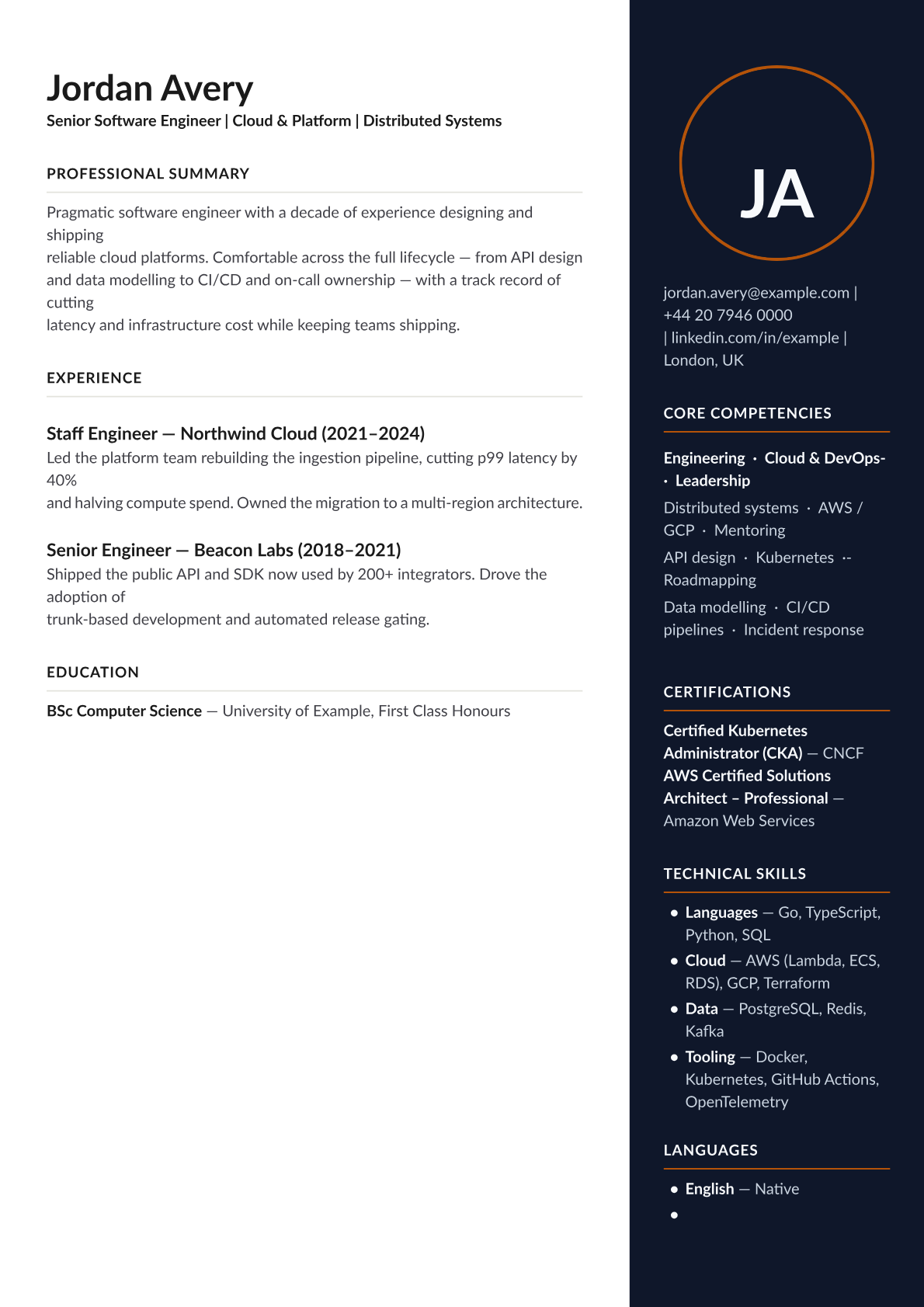
Meridian

Two-column design with the side rail on the right. Bold and warm, made for human readers.

Vantage CV template preview

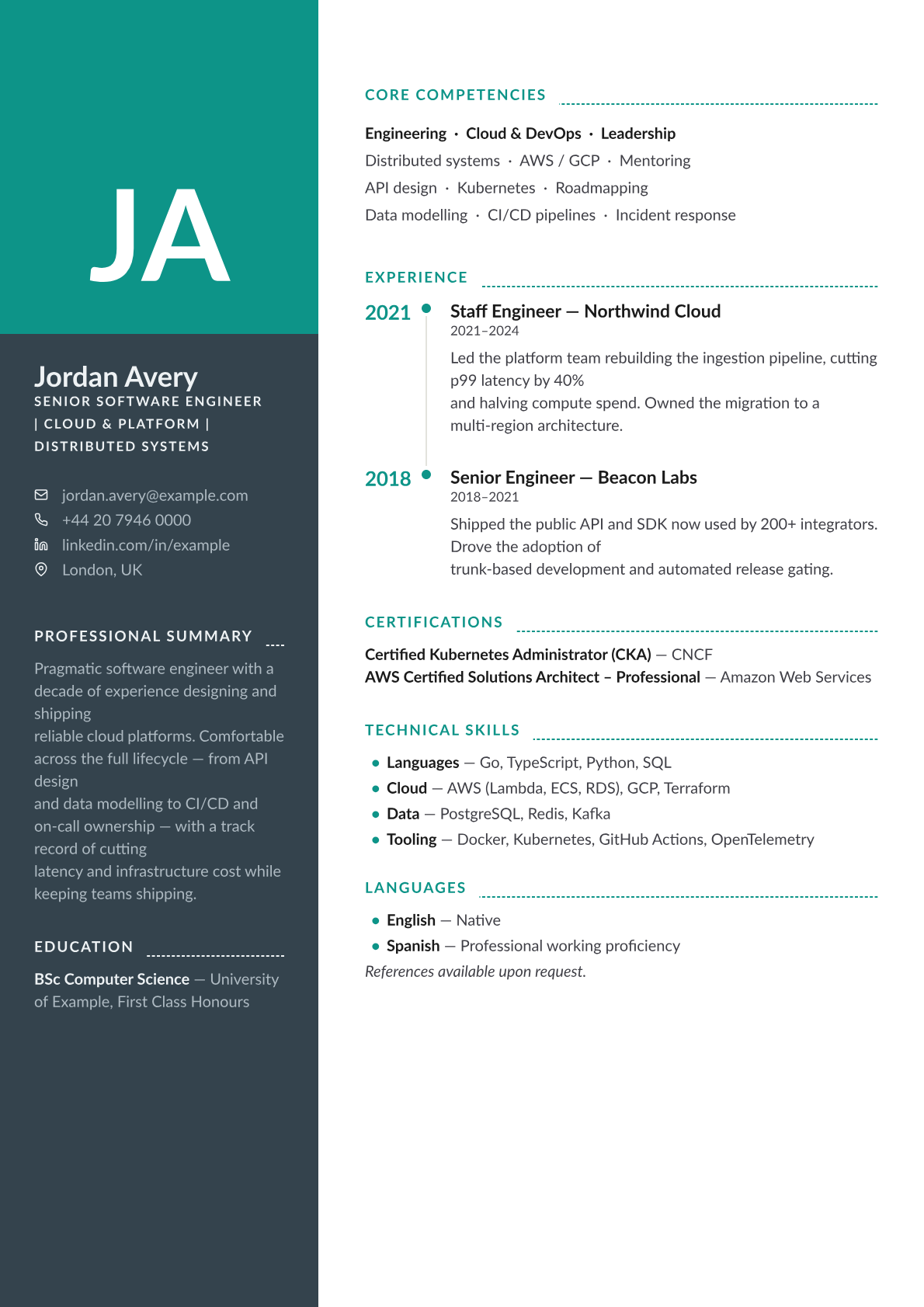
Vantage

Portrait header, dark rail, and a year-by-year experience timeline. A premium look, made for human readers.

Horizon CV template preview

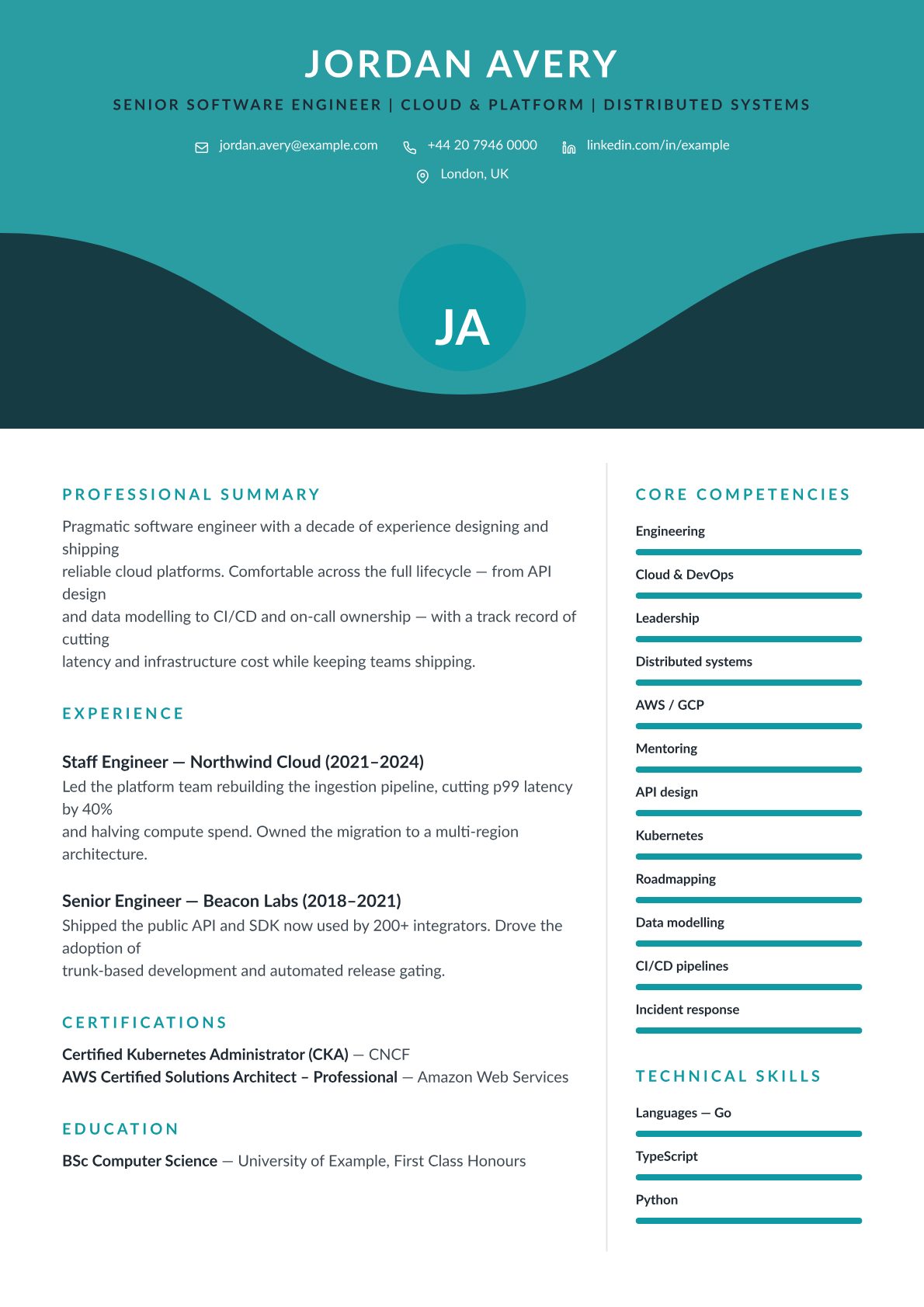
Horizon

Coloured header band with a centred photo, plus skill bars in a two-column body. Bold and modern, made for human readers.

Every template can take your own accent color in the editor.

What makes a CV template ATS-friendly

There is no official standard. For us it means a layout whose text a parser can read in the right order. This is what the three ATS-friendly templates do.

One column
Text runs from the top of the page to the bottom. There is no side rail, header band or grid for a parser to read out of order.
Tables become plain lines
A skills table is flattened into lines of text. The words come out in order, not column by column.
Headings stay whole words
Heading letter spacing is set to zero. Wide spacing can make a parser read a heading as separate letters, like P R O F I L E.
No photo or color blocks
There is no photo slot, no dark side rail and no colored band. The text sits on a white page.
Real text, no emoji
The PDF holds real text, not a picture of text. Emoji are removed from every template, because they render badly and can confuse a parser.

How we check it

The check renders a sample CV to PDF with each template. Then it pulls the text out of the PDF of each ATS-friendly template with an open-source PDF text extractor (pdf.js).

It fails if the sections come out in the wrong order or if skill keywords go missing. All three ATS-friendly templates clear it today. We run it by hand, not automatically on every change.

When to pick a designed template

A designed layout is a fine choice when a person will see the CV before any software does.

A direct email to a recruiter
A person opens the PDF, so how it looks counts most.
A referral
Someone inside the company forwards your CV, so a person usually reads it first.
A printed copy
At an interview or a job fair the page is read by eye, and a rail or a timeline helps it stand out.

How it works

1. Pick a template
Choose a template in the editor. The PDF preview shows the change right away.
2. Recolor and edit
Set an accent color and edit the text. The preview follows as you type.
3. Download the PDF
Download the CV as a PDF. Changing the template or the color costs no credit.

Questions about CV templates

Which template is the best pick for an ATS?
ATS Clean, which is also the default. It is the plainest layout: one column, dark text on white and thin grey rules. Modern and Compact are single column too. No template can promise how a particular ATS will read a CV, so choose on layout, not on a promise.
Does the template change my match score?
No. The ATS match score is worked out from the text of your CV and the requirements in the job posting. A template only changes how that text is laid out in the PDF, so the same CV scores the same in all nine.
Can I change the color?
Yes. Every template can take your own accent color in the editor, from nine presets or any 6-digit hex code. Where the accent shows depends on the template.
Should I add a photo?
Only Aurora, Quartz, Meridian, Vantage and Horizon have a photo slot. You add the photo in the editor, and without one they show your initials. ATS Clean, Modern, Compact and Classic never show a photo. Whether a photo suits your application is your call.
Is the CV A4 or Letter?
A4. Every template renders on A4 pages, and there is no US Letter option.
Can I download a Word file?
No. KnockCV exports PDF only. You can edit the text in the editor before you download.
Do templates cost extra?
No. All nine are included. You get 3 free CVs when you sign up, then 3 for €3.99, 10 for €9.99 or 25 for €19.99. There is no subscription and credits never expire.
Can you promise an ATS will read my CV correctly?
No. Every ATS has its own parser, and two systems can read the same file differently. What we can say is how the three ATS-friendly templates are built, and that we check that the text of each one comes out in order.
Free ATS checker
Paste your CV and a job posting to see which requirements you show and which you miss.
How an ATS reads your CV
What an applicant tracking system does with an application, and which fears about it are myths.
ATS-friendly resume guide
Layout, wording and a copy-and-paste test, and what no resume can promise.
Tailor your resume to a job description
A real before and after of a CV written from your own facts.
AI cover letter generator
A short cover letter from your own facts, written together with your CV.

Pick a template, then tailor your CV

Paste a job posting and your experience. KnockCV writes the CV and a cover letter, and you choose the template in the editor.

Tailor my CV →